
NetOvi: One Intent, Four Network Operating Systems
The NetOvi guardrails became a web portal, and the portal went multi-vendor: Cisco IOS and NX-OS, Arista EOS and Juniper Junos, driven from one vendor-neutral NetBox intent, every change proposed, confirmed with a literal YES, applied and verified by reading the device again.
In the last NetOvi post, everything still ran through an AI chat client and a handful of MCP tools, against eleven Cisco routers. A web portal was only an idea in its last paragraph, not built yet.
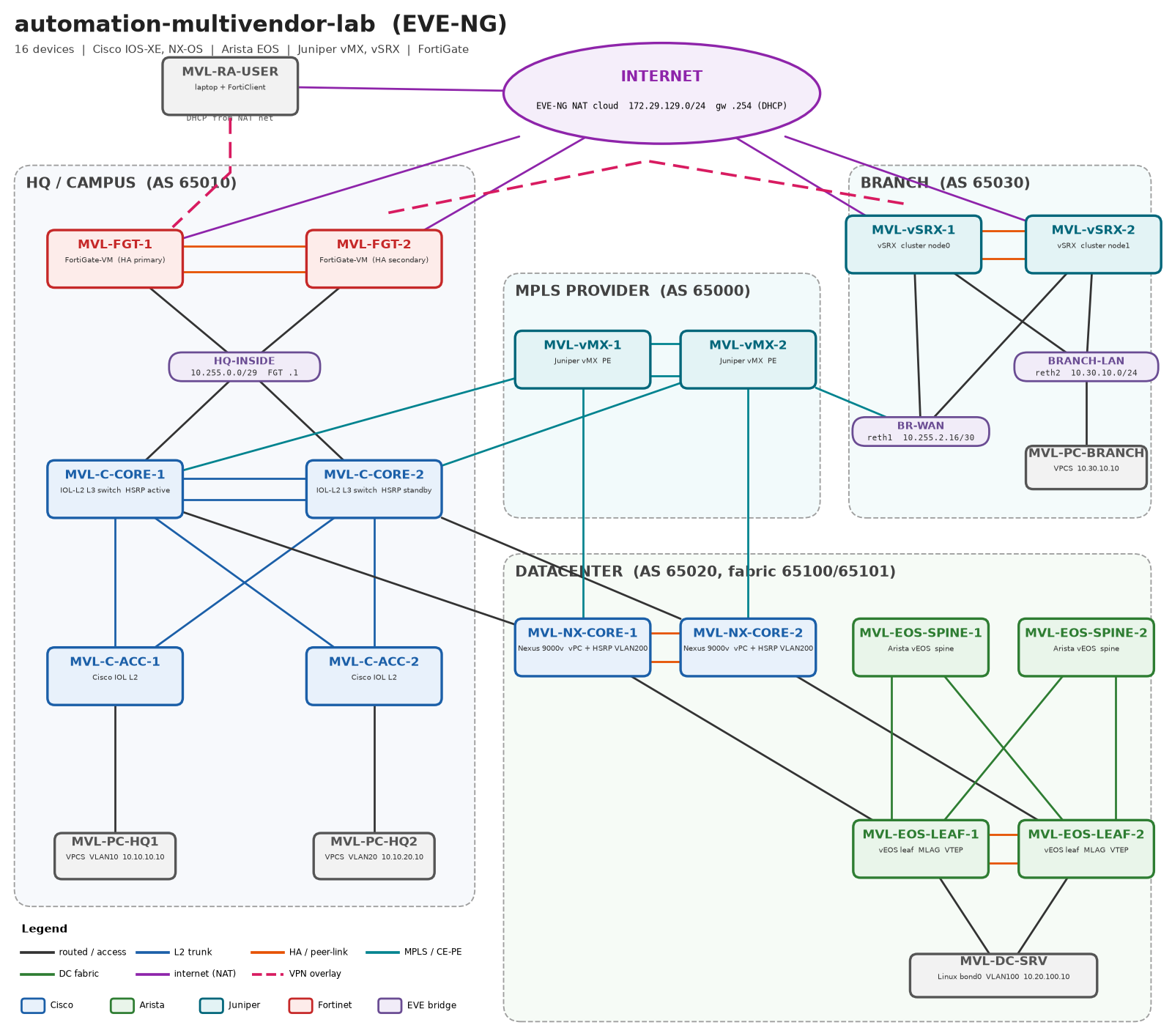
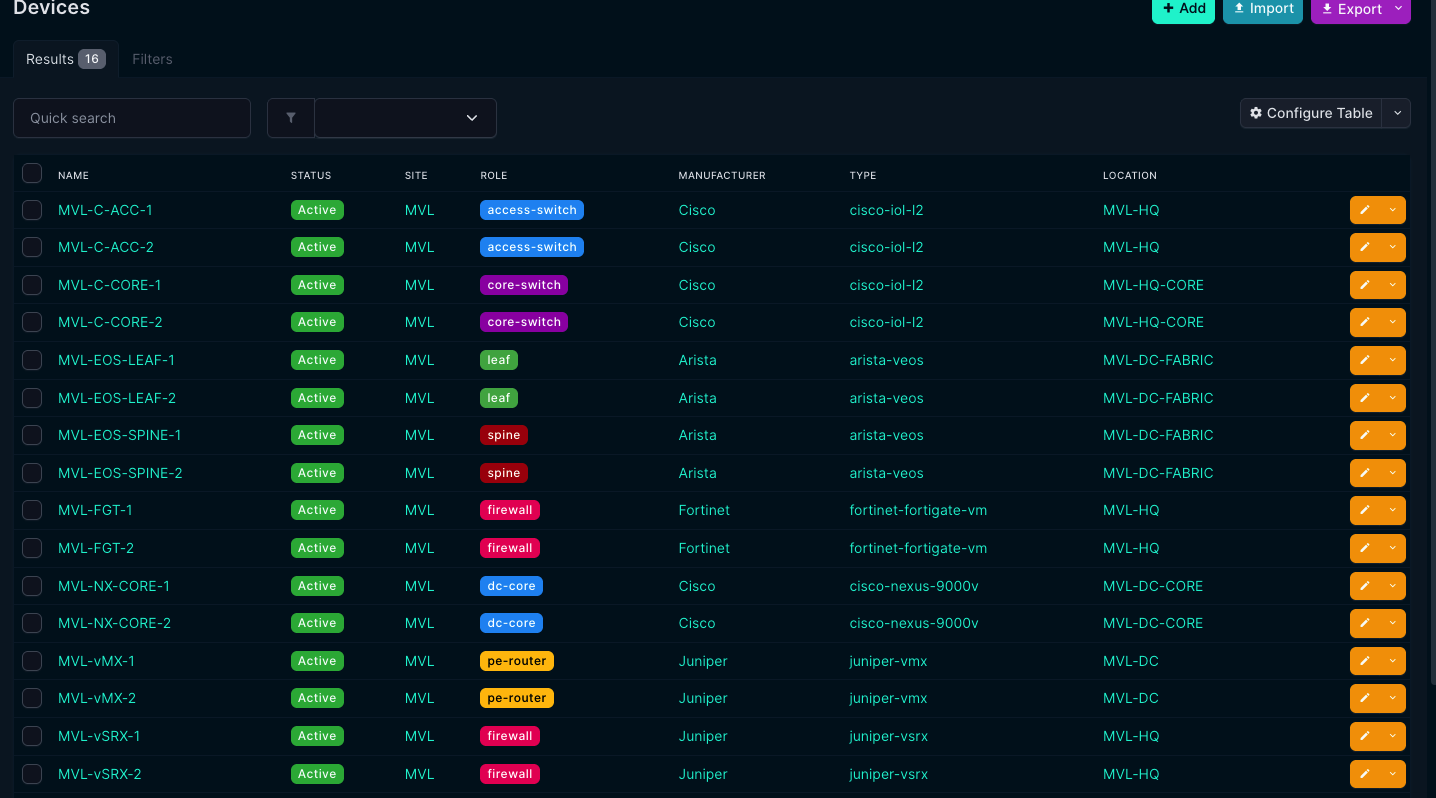
This post is the first time that portal is shown. It’s built, it runs, and the lab behind it is no longer eleven Cisco routers: it’s sixteen devices from four vendors.
The rule didn’t change. Every change to a device is proposed, shown as a diff, confirmed with a literal YES, applied, and verified, in code. What changed is how many ways there are to get that wrong.
What NetOvi is now
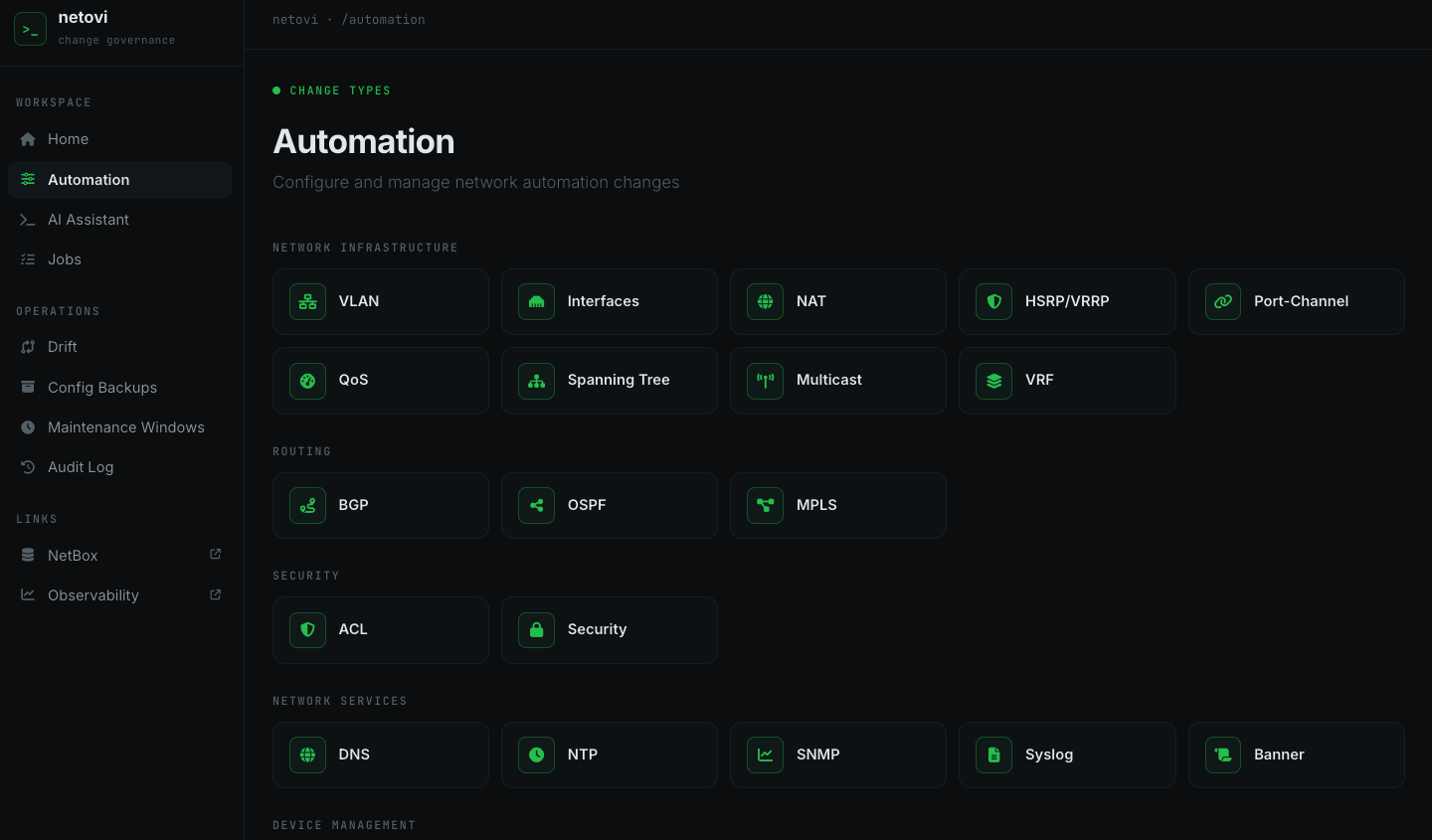
A web portal an engineer logs into (Keycloak single sign-on, users and groups from FreeIPA). Nineteen change types, from NTP and syslog to VLANs, OSPF, BGP and ACLs, each with its own form. Pick the devices, and the portal:
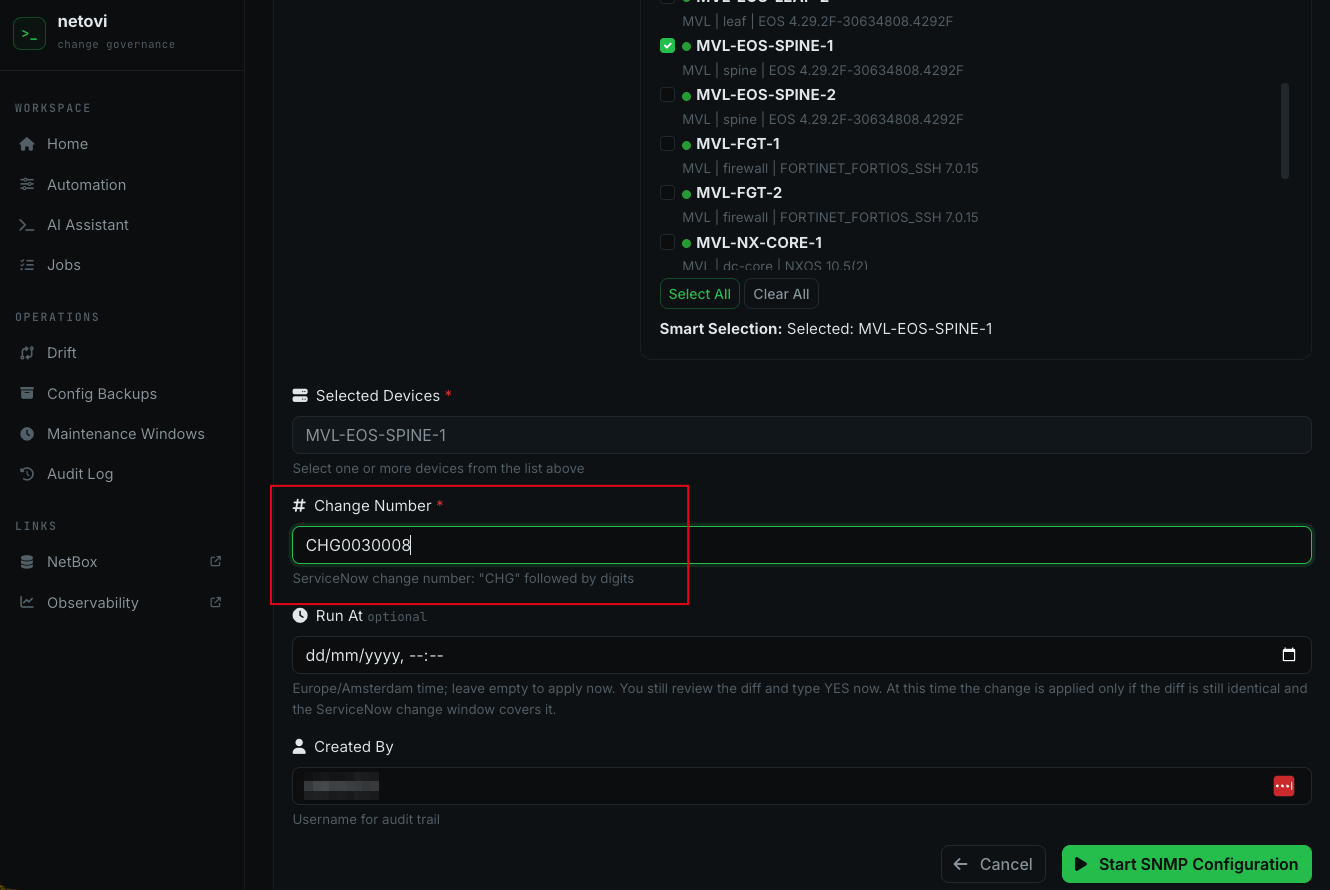
- checks the change number against ServiceNow (approved, and inside its window) and against change freezes; these checks fail closed;
- reads the device’s current state, renders the candidate from NetBox, and diffs the two;
- shows the diff and waits for a literal
YES; - applies, verifies, and writes a work note back to the ServiceNow change.
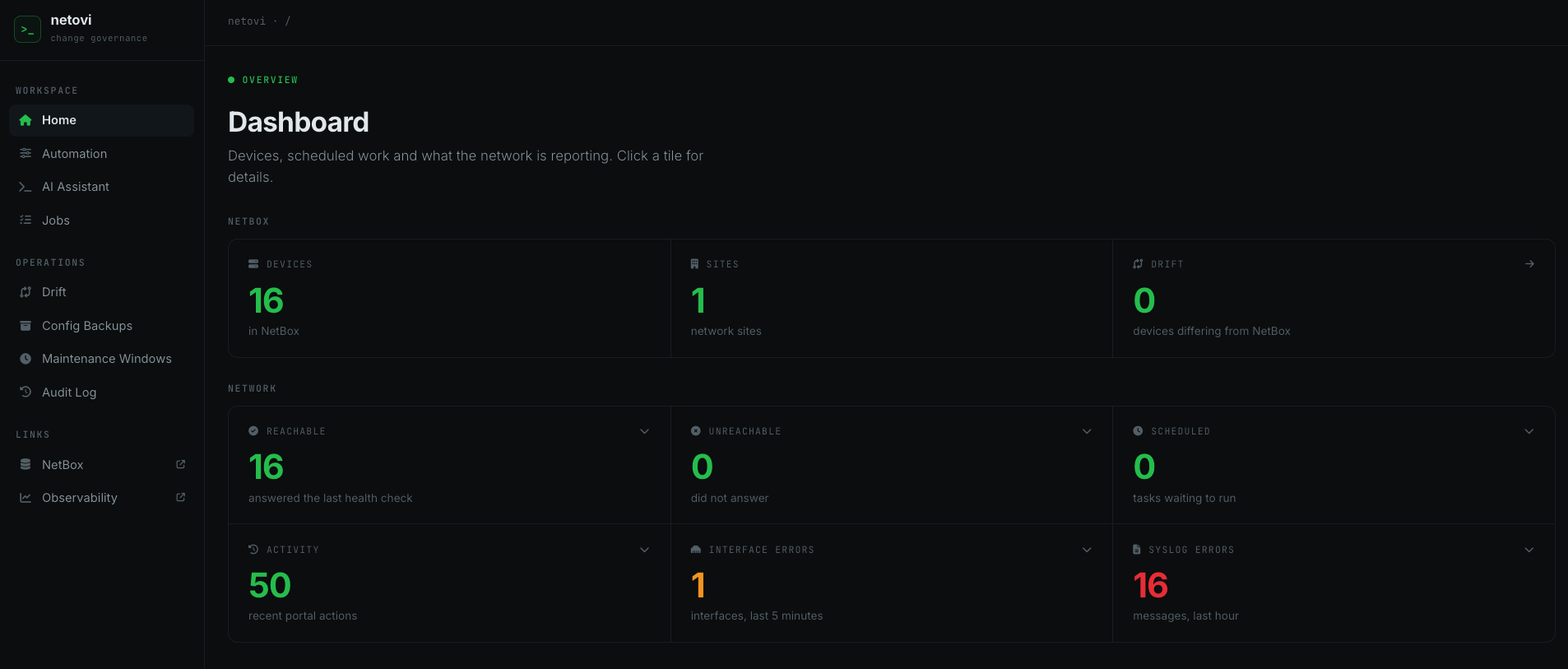
Around that: a drift check that asks every device every half hour whether it still matches NetBox, opening a ServiceNow incident for every difference and resolving it by itself once the device matches again, config backups, scheduled changes, and a read-only AI assistant (a local model through Ollama) for troubleshooting. The assistant can query NetBox, run show commands, and read metrics and logs. It has no configuration tool at all, not even a diff-only one. Letting it propose changes again would be easy now, and the reason it doesn’t is the same one as in the last post: a confident, wrong answer about a device’s configuration is damage too.
The lab: sixteen devices, four operating systems
Built in EVE-NG from generated configs, so the whole lab can be rebuilt from scratch:
| Role | Platform | How the portal talks to it |
|---|---|---|
| Campus core and access | Cisco IOS (IOL), HSRP, rapid-PVST | SSH (NAPALM ios) |
| Data centre core | Cisco NX-OS 10.5, vPC | NX-API (NAPALM nxos) |
| DC fabric, spine and leaf | Arista EOS 4.29, EVPN-VXLAN, MLAG | eAPI (NAPALM eos) |
| MPLS PE | Juniper vMX 24.4, VRF over LDP | NETCONF (NAPALM junos) |
| Firewalls | Juniper vSRX cluster, FortiGate HA pair | not yet |
One intent, four syntaxes
The design choice that made the rest possible: NetBox describes what, never how. The intent for NTP is “these servers, in the management VRF”, not an IOS line.
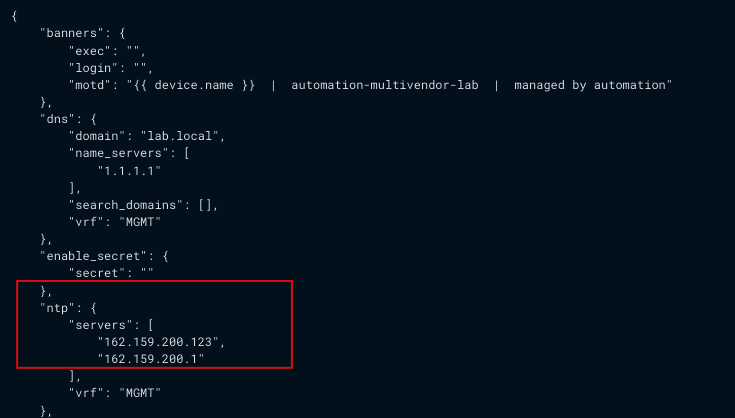
Each platform gets its own renderer and its own collector (the code that reads what’s on the device now), both reading that same intent. The management VRF is the one thing that differs per platform, so it’s a NetBox config context scoped to the site and the platform. The same intent then renders as:
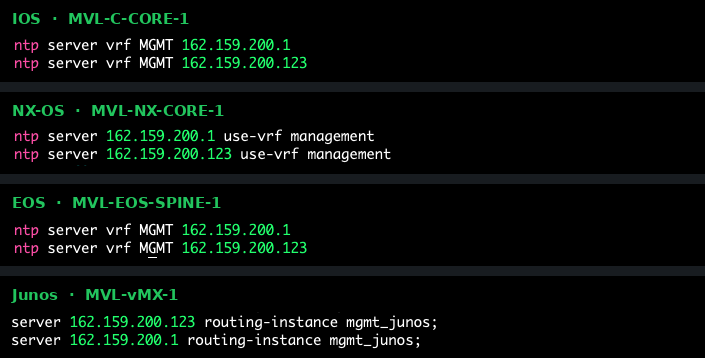
IOS     ntp server vrf MGMT 162.159.200.123
NX-OS   ntp server 162.159.200.123 use-vrf management
EOS     ntp server vrf MGMT 162.159.200.123
Junos   set system ntp server 162.159.200.123 routing-instance mgmt_junos
Where a platform simply doesn’t have a feature (NAT on a vEOS, spanning tree on a router), there’s no renderer, and the portal says “not supported for this platform” instead of guessing.
The demo: one change, four platforms
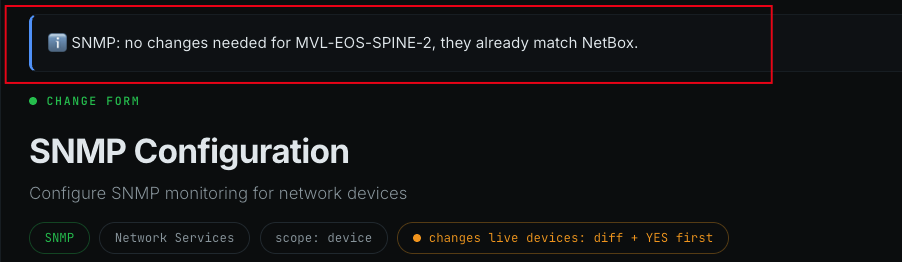
Adding a second NTP server is the smallest real change there is, which makes it a good one to watch. One line in the NetBox config context above, then the NTP form for one device of each platform:
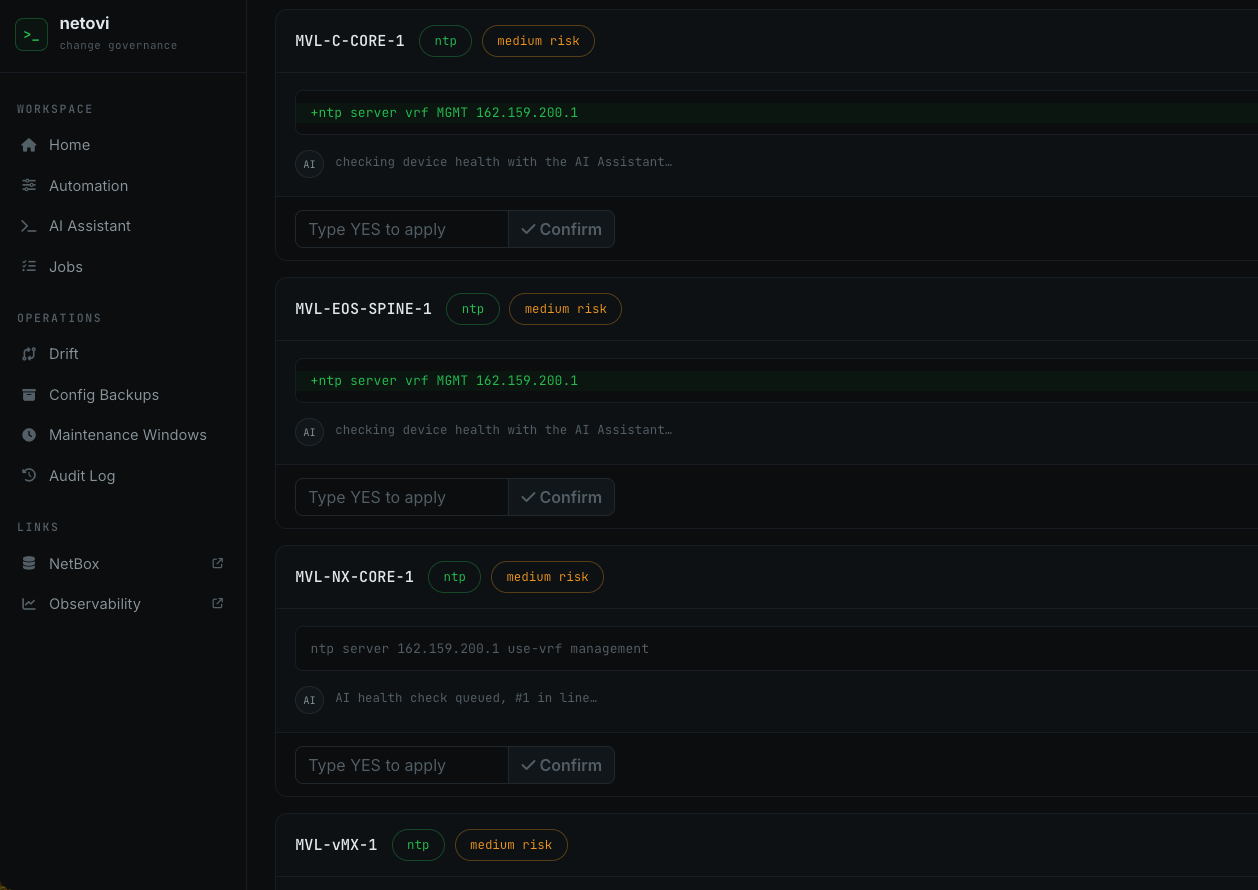
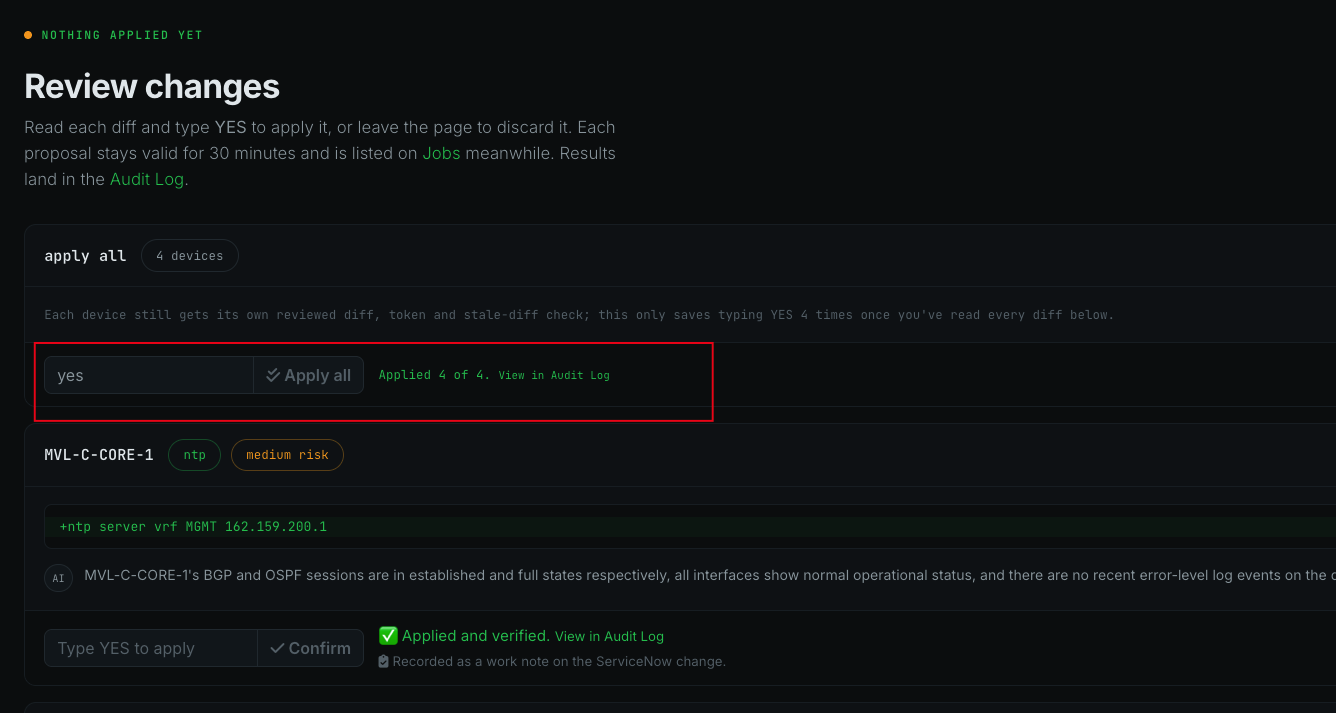
And on the devices themselves, the same intent in four syntaxes:

The guardrails, in the screenshots
A YES means YES. Not Y, not yes please:
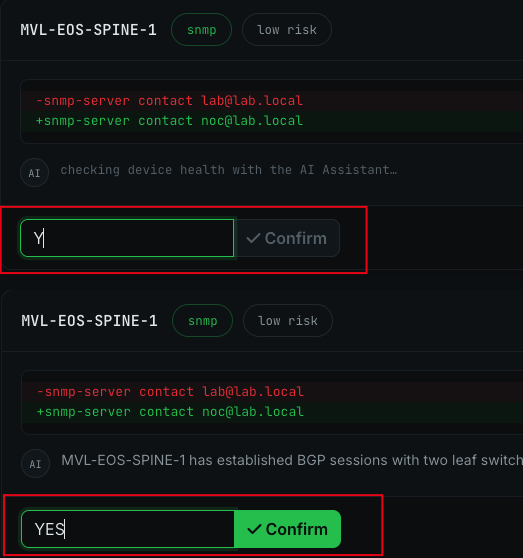
Y, Confirm stays disabled. Bottom: YES, and only then.ServiceNow is checked before anything is read from a device, and fails closed. Here the change number was approved, but its planned window had passed:

The third guard showed up without being staged. The two vSRX nodes form a chassis cluster that shares one configuration. A change committed on the first node was synced to the second, so the second node’s proposal no longer matched the device, and the portal refused to apply it: “live config changed since this was proposed; refusing to apply a stale diff.” Exactly the case that check exists for, on a device where I hadn’t expected it.
Drift, ServiceNow incidents, and the two switches I forgot
This part wasn’t planned either. When I first rolled the new NTP server out, the evening before the demo, I selected twelve devices and left out the two access switches. The next drift check found them:
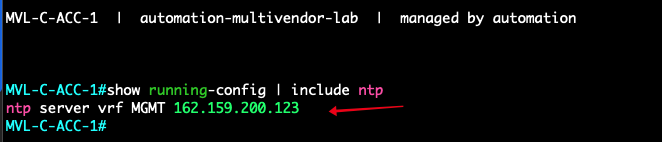
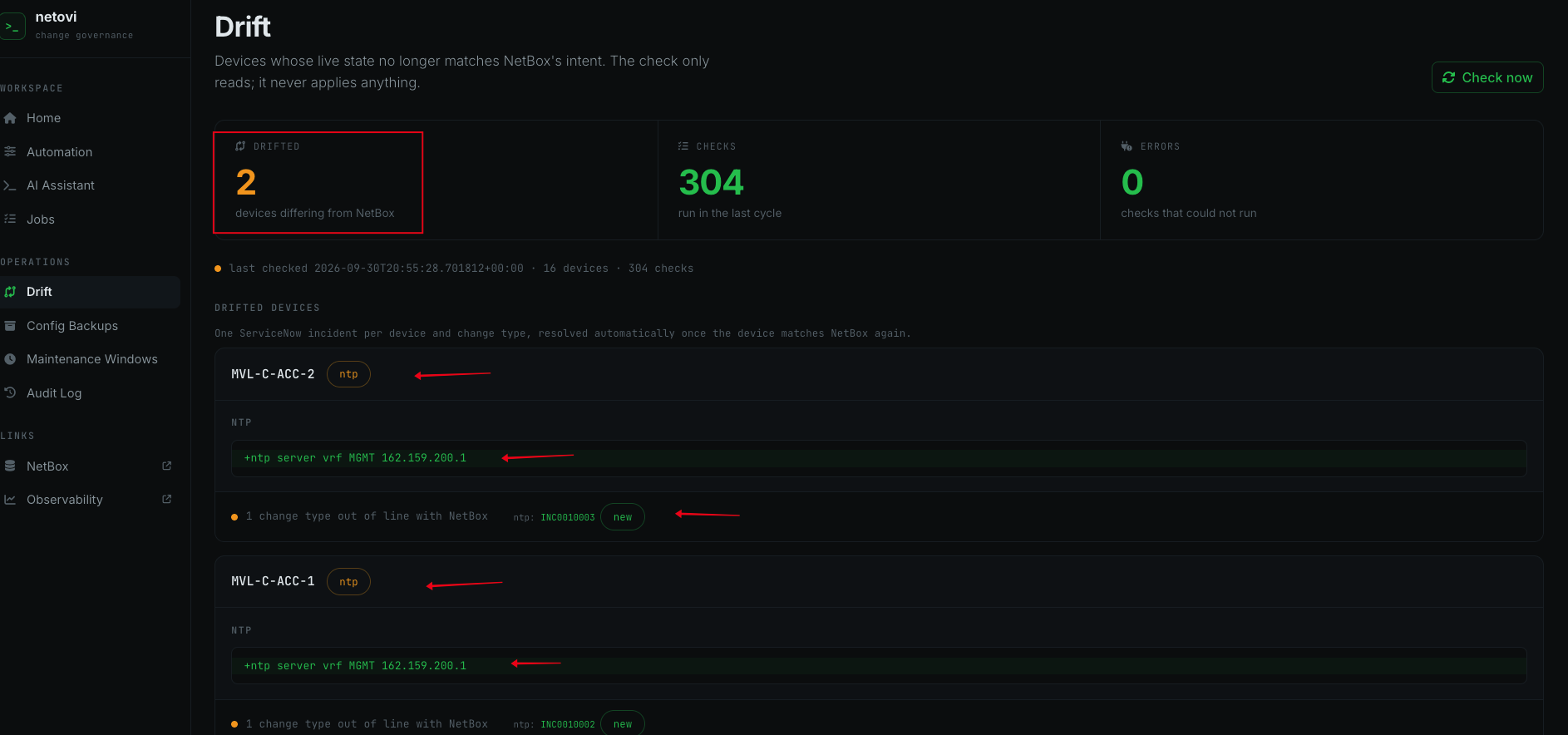
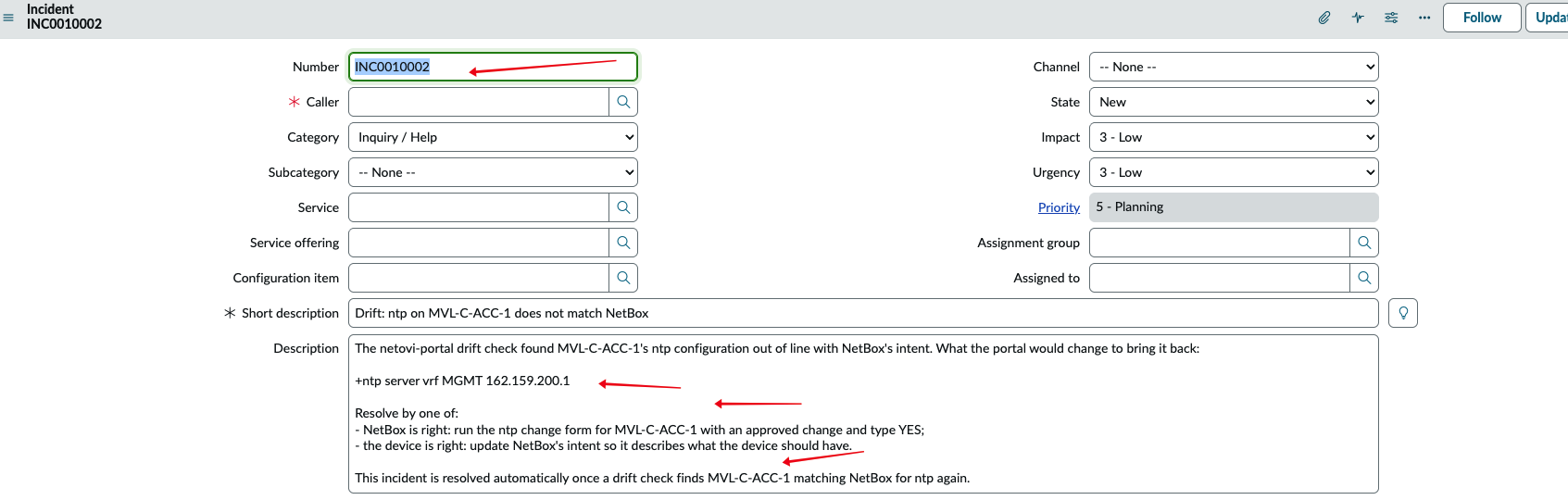
Every difference the drift check finds now opens a ServiceNow incident, one per device and change type, with the diff and the two ways to resolve it: run the change form (NetBox is right), or fix NetBox (the device is right). A difference that stays across runs keeps pointing at the same incident instead of opening a new one every half hour, and new incidents land in the network team’s queue.

The fix went through the portal like any other change: the NTP form, the two access switches, the diff, YES.
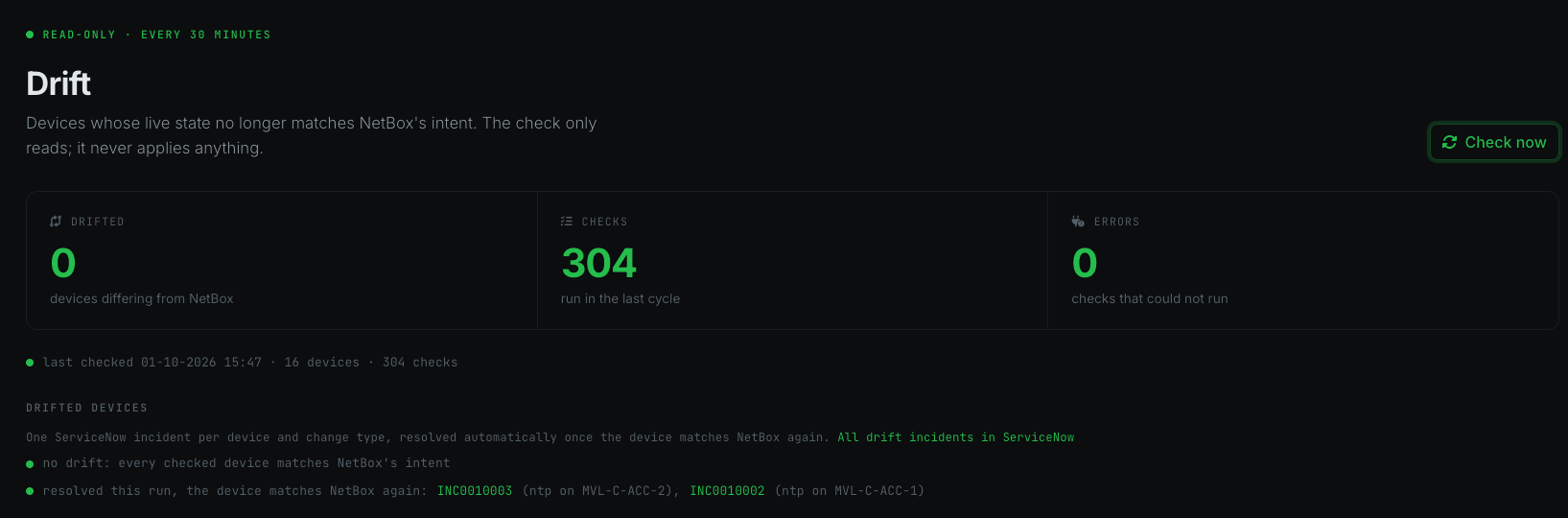
The next drift check found both switches matching NetBox again, and resolved the incidents itself. Nobody touched them in ServiceNow:

The read-only assistant
The assistant answers questions about the network from NetBox, show commands, Prometheus and Loki. I asked it in Dutch, which a local model handles fine:
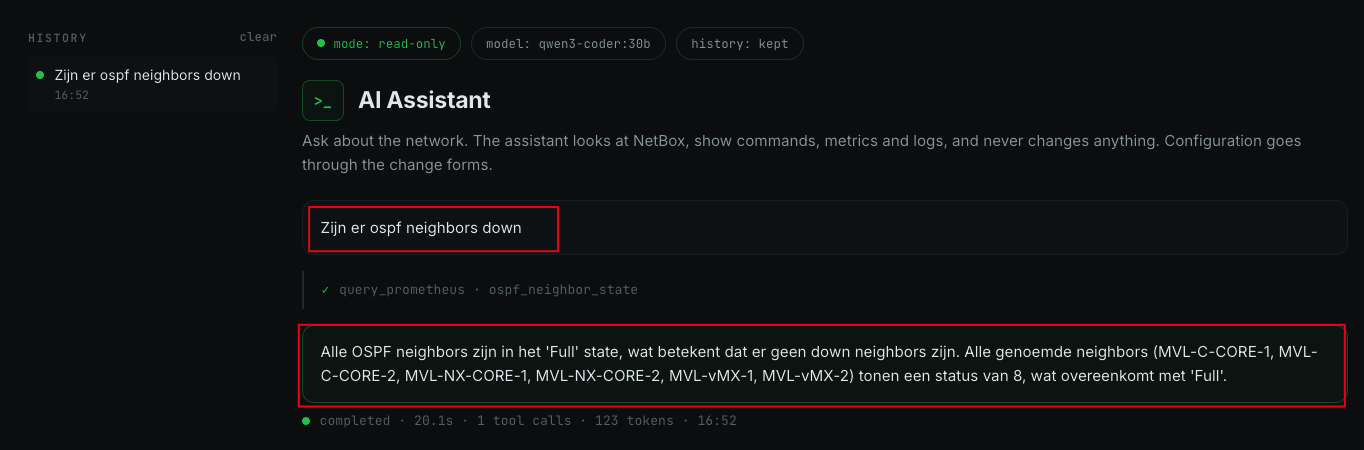
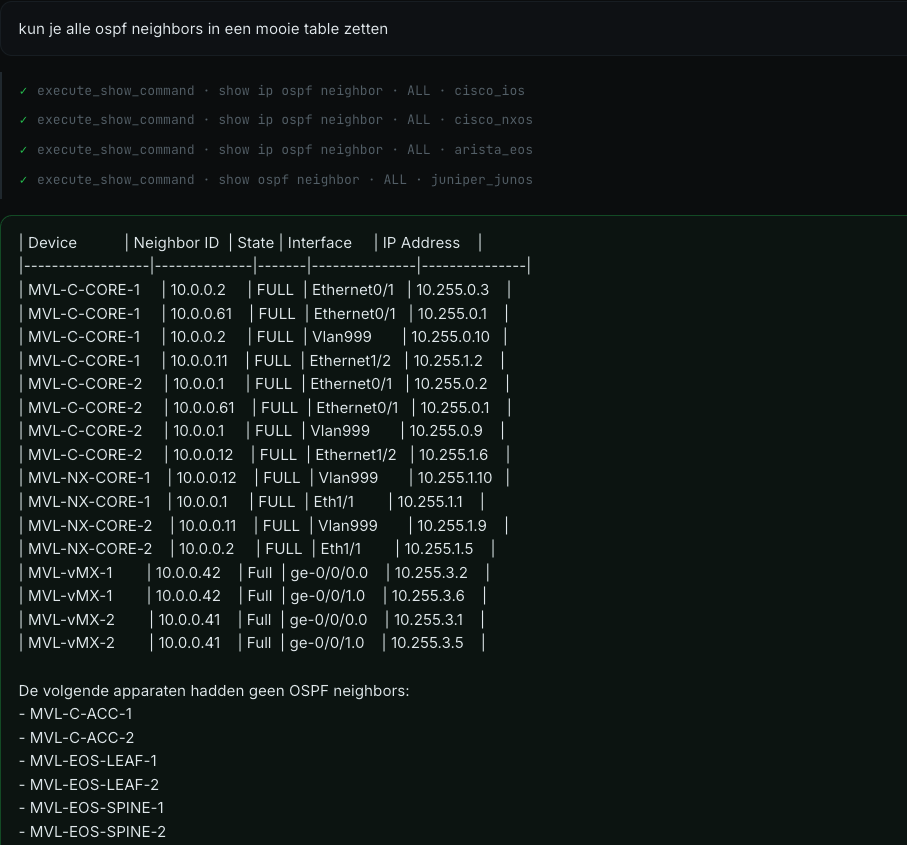
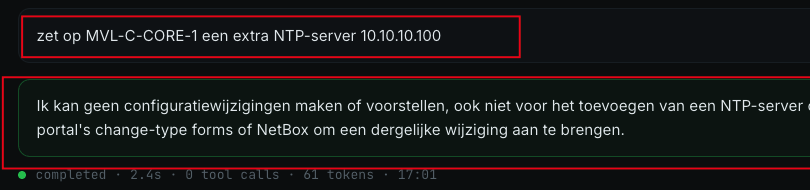
Parsing the output before the model sees it mattered more than the prompt. Every vendor orders its OSPF columns differently (Junos puts the neighbour’s address first and its router ID fourth), and the model mixed them up as long as it had to map raw text itself.
Observability
Telegraf polls every device over SNMP, Promtail collects syslog, and Grafana shows both. The assistant reads the same data.

What I learned building it
Each vendor surprised me once. Every one of these only showed up when a real change hit a real device:
- Arista EOS said “nothing to change” while the switch had actually rejected the line. Switching to Arista’s API (eAPI) made the error visible.
- Cisco NX-OS combines lines. Changing a setting for one VLAN quietly changed it for another VLAN on the same line.
- Juniper Junos fails the whole change if you ask it to delete something that isn’t there. The portal now only deletes what it has actually seen on the device.
- Cisco IOS reported success but stored a password in a different format than asked.
“Applied” is not the same as “done”. So after every change, the portal reads the device again and compares it with NetBox once more. Only when nothing is left to change does it say verified. That check is what caught the IOS password and the NX-OS VLAN.
Everything was tested on real devices. Every change type, on every platform: applied, verified, checked again, and rolled back. 142 of 145 tests passed. Two failed because the virtual Arista switch has no QoS hardware, and one exposed a bug I had made earlier that day. The testing also found bugs in older code that had never run against real hardware.
NetBox has to be right. The portal treats NetBox as the truth, so a mistake in NetBox becomes a change on the network. The discovery tool I used to fill NetBox (Diode) also copied in things that were observed, not intended: a test address, and port settings a switch reports by itself. The drift check showed all of it. After cleaning NetBox up: 16 devices, 304 checks, zero drift.
What’s next
The FortiGate firewalls. They are in the lab and in NetBox, but the portal doesn’t change them yet: there is no NAPALM driver for FortiOS that is good enough to build on. The next phase looks at another engine for them, most likely Ansible’s FortiOS modules, with the same rules: the intent from NetBox, a diff first, a literal YES, and a check afterwards.
More testing. Every change type works on every platform now, but the lab can do more than one change at a time. Next: scheduled changes run end to end on a real device, more failure cases on purpose (a device that goes away mid-change, a ServiceNow change that is withdrawn), and whatever those turn up.
Resources
- NAPALM: the
ios,nxos,eosandjunosdrivers, merge candidates - NetBox config contexts: how contexts merge by weight
- NetBox Diode: discovery into NetBox
- Netmiko
- EVE-NG